
Franchise Workflow Automation: A Franchisor's Playbook
Franchise workflow automation delivers one core outcome: it lets a growing system scale without multiplying headcount, manual handoffs, or approval delays. The best starting point for most franchisors is either the candidate onboarding pipeline or franchisee support. Both are high-friction, high-volume workflows where automation shows up fast in the numbers.
- Automate onboarding or support first, not everything at once
- Expect a 30–50% cut in manual follow-ups within the first pilot cycle
- Treat the pilot as proof, then expand to daily operations and reporting
Vendor case data suggests digitizing onboarding alone can reduce administrative overhead by roughly 50%, which is enough to reassign a full support role toward growth work instead of paperwork.
Key Takeaways
Franchise workflow automation succeeds when franchisors pilot one high-volume workflow, measure it against a clear baseline, and pair the rollout with structured coaching instead of software alone.
| Point | Details |
|---|---|
| Start with one workflow | Pilot onboarding or support triage first to prove ROI before expanding automation system-wide. |
| Expect measurable time savings | Digitizing onboarding can cut administrative overhead by roughly 50% based on documented vendor case data. |
| Map integrations before choosing a platform | Confirm POS, CRM, accounting, and LMS connections before comparing vendors. |
| Track a small KPI set | Time-to-agreement, drop-off rate, and ticket resolution time prove pilot impact clearly. |
| Pair automation with coaching | Frangelic recommends structured coaching and scorecards alongside any pilot to drive real franchisee adoption. |
Why Franchise Workflow Automation Matters for Growing Systems
The case for automation isn’t about looking modern. It’s about what happens to your support team when unit count doubles and your process hasn’t changed at all. Manual, email-and-spreadsheet operations scale linearly with headcount. Automated ones don’t.
Four benefits show up consistently once franchisors make the switch:
- Time recovery. Staff stop chasing signatures, re-entering data, and manually routing tickets, freeing hours for coaching and growth work.
- Better candidate and franchisee experience. A slow, confusing application process signals a disorganized brand before day one.
- Consistency and reduced risk. Automated checklists enforce the same launch and compliance steps at every location, regardless of who’s running it.
- Real scalability. A workflow that works for 20 units can work for 200 without a proportional support headcount increase.
The IFA reports that centralizing candidate workflows cut the time from disclosure to brand approval from 62 days to 31 days in one documented example. That’s not a minor efficiency gain. It’s the difference between a candidate staying engaged through the decision process and one who quietly moves on to a competing brand with a cleaner application experience. Franchise development is a trust exercise before it’s a legal one, and clunky processes erode that trust fast.
Where Should You Automate First Across the Franchise Lifecycle?
Not every workflow deserves equal priority. Some carry more manual drag, more compliance exposure, or more direct impact on revenue than others. Here’s how to think through the lifecycle in order of typical payoff:
- Lead intake and territory routing. Automatically score, tag, and route inbound candidates to the right development manager based on territory availability, killing the lag between inquiry and first contact.
- Application, document collection, and e-signature. Replace email attachments with a structured portal that collects disclosures, financial statements, and signed agreements in one thread.
- Franchisee onboarding with embedded LMS. Trigger training modules, compliance quizzes, and checklist dependencies automatically as a new franchisee moves through pre-opening milestones.
- Location launch checklists. Sequence vendor setup, signage approval, and staffing tasks with dependency triggers so nothing opens out of order.
- Daily operations: audits, task lists, incident logging. Digitize the shift checklist and audit form so field consultants see real-time compliance gaps instead of stale paper reports.
- Franchisee support triage. Route tickets by category and urgency, resolve routine questions through self-service, and escalate only what genuinely needs a human.
- Royalty reporting and invoice review. Pull sales data directly from POS instead of chasing monthly spreadsheets from each unit.
- Marketing approvals and local asset requests. Give franchisees a self-serve library of pre-approved assets with a fast-track review queue for anything custom.
FranConnect’s own documentation confirms this spread, listing automation across lead management, onboarding, financial management, performance, marketing, communications, and compliance as standard territory for a mature franchise platform.
Pro Tip: Pick the workflow with the highest volume and the most manual touches, not the one that feels most “important.” Support triage and onboarding usually win on both counts.

How Do You Choose the Right Automation Platform?
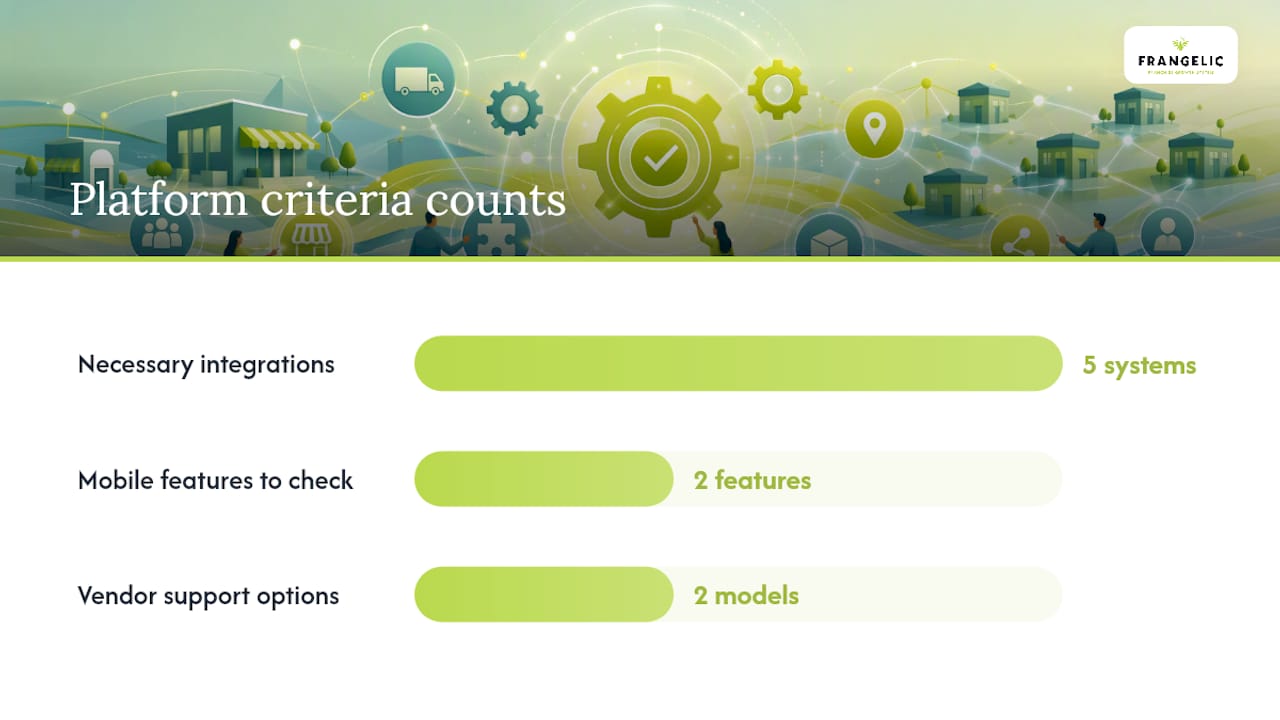
The platform decision comes down to fit, not features. A tool with 200 integrations you’ll never use is worse than one with the five you actually need, configured well.
Start with what has to connect. Your automation layer needs to talk to your POS system for royalty calculations, your CRM for candidate and franchisee records, your accounting software for invoice workflows, your LMS for training completion, and your scheduling tools for launch timelines. Map these before you evaluate a single vendor.
Then weigh the build approach:
- No-code/configurable platforms get you live in weeks and suit brands with standard workflows and limited IT staff.
- Enterprise platforms offer deeper customization but need dedicated internal ownership to configure and maintain.
- Custom development makes sense only when your operating model is genuinely unusual, and it carries the longest timeline and highest cost.
Security can’t be an afterthought. Confirm encryption in transit and at rest, single sign-on (SSO) for franchisee and staff access, role-based access control (RBAC) so a store manager can’t see corporate financials, and clear handling rules for personally identifiable information collected during candidate applications.
Finally, check adoption factors: does the mobile experience work for a franchisee standing in a stockroom, not just someone at a desk? Does it support offline entry for spotty connectivity in the field? And ask directly about the vendor’s support model. Many vendors bundle onboarding and integration services into the licensing shape rather than leaving you to configure alone, which matters more than the sticker price once you’re three months into rollout.
What Does a Realistic Pilot Timeline Look Like?
A pilot should be short enough to finish before organizational patience runs out, but long enough to produce a real before-and-after comparison. Six to eight weeks is the sweet spot for most franchise systems.
- Weeks 1-2: Scope and baseline. Pick one workflow, usually onboarding or support triage, and document current cycle time, error rate, and staff hours spent. This baseline is what proves ROI later.
- Weeks 3-4: Configure and connect. Build the workflow, connect the minimum viable integrations (usually CRM and e-signature), and test with a small internal group before any franchisee touches it.
- Weeks 5-6: Live pilot with a small cohort. Run it with 5 to 10 franchisees or candidates, not your whole network. Collect feedback daily, not just at the end.
- Weeks 7-8: Measure and decide. Compare against baseline, and set a clear go/no-go threshold before you started, not after you see the results.
Assign roles explicitly: an HQ operations lead owns the workflow definition, a small group of franchisee representatives test and give feedback, IT or a vendor project manager handles integration, and one executive sponsor removes roadblocks. Mvp on starting with a single high-value workflow, whether that’s support triage, lead routing, or invoice review, exists precisely because pilots that try to fix everything at once tend to prove nothing at all.
Getting Integrations and Data Flows Right
Most automation failures aren’t automation problems. They’re data problems wearing an automation costume. A workflow that fires off the wrong territory rule or duplicates a franchisee record because two systems disagree on the master list will erode trust faster than any UI complaint.
A few patterns matter more than the rest:
- Choose the right sync pattern. One-way sync works for read-only reporting; bi-directional sync suits CRM and POS where both systems need current data; webhook or event-driven triggers fit real-time actions like alerting on a failed audit.
- Nail down master data first. Decide which system is the source of truth for locations, users, and territory boundaries before you connect anything else.
- Plan for offline and edge cases. Field staff will lose connectivity mid-audit. Build local queueing so entries sync once the connection returns instead of getting lost.
- Use a middleware or orchestration layer when connecting three or more systems, rather than building point-to-point integrations that break every time one vendor updates its API.
Platforms built around a single connected lifecycle system, from candidate capture through launch and daily operations, tend to avoid this fragmentation because the data model is shared instead of stitched together after the fact.
Which KPIs Actually Prove the Pilot Worked?
Track a small set of numbers that map directly to the workflow you piloted, and record them before you launch, not after.
- Time-to-agreement: days from initial inquiry to signed franchise agreement
- Candidate drop-off rate: percentage who abandon the application mid-process
- Onboarding completion rate: percentage finishing pre-opening training on schedule
- Ticket resolution time: average hours from support request to close
- Reporting hours saved: staff time spent compiling royalty or performance reports weekly
| KPI | Why It Matters |
|---|---|
| Time-to-agreement | Shorter cycles reduce candidate drop-off and speed revenue from new units |
| Candidate drop-off rate | Flags friction points in document collection or e-signature steps |
| Onboarding completion rate | Shows whether checklist dependencies are actually being followed |
| Ticket resolution time | Measures whether triage automation is reducing escalations |
Report these on a monthly cadence to the executive sponsor and quarterly to the broader franchisee base, so the pilot’s momentum stays visible instead of quietly stalling in a spreadsheet nobody opens.
Why Do Franchise Automation Rollouts Stall?
The most common failure isn’t a bad platform choice. It’s an automated version of a broken process, or a tool nobody at the store level actually opens.
Three failure modes show up repeatedly: clunky mobile UX that field staff avoid, missing integrations that force franchisees to still re-enter data somewhere else, and over-automation that removes judgment calls people actually needed to make.
- Recruit pilot champions among your best-performing franchisees before wider rollout
- Train by role, not by blanket webinar. A store manager needs different training than a bookkeeper
- Tie adoption to something franchisees already care about, not a corporate mandate
- Build a fast feedback loop so early friction gets fixed in week two, not month six
- Keep governance light: small-batch changes with a clear owner beat quarterly overhauls
Adoption-first platforms exist because the frontline determines whether automation succeeds regardless of feature depth.
Pro Tip: Ask your pilot champions to demo the workflow to peers themselves. Franchisee-to-franchisee validation moves adoption faster than any corporate rollout email.
What Frangelic Recommends for Your First Automation Pilot
Twenty years of coaching franchise owners has taught Frangelic one consistent lesson: the brands that succeed with automation aren’t the ones with the fanciest platform. They’re the ones who paired the rollout with structured follow-up, so franchisees knew exactly what “using it correctly” looked like.
Frangelic recommends piloting onboarding or support triage first, tracked against three numbers: time-to-agreement, ticket resolution time, and franchisee-reported confidence in the process. Coaching matters here because a tool without a champion explaining the “why” behind it tends to get ignored by week three.
- Onboarding sequence templates mapped to launch milestones
- Weekly scorecards tracking adoption and cycle time
- Checklist frameworks tied to compliance and audit readiness
A workflow tool only works as well as the habits built around it. The system doesn’t replace coaching. It gives coaching something concrete to measure.
Start Your Pilot With Structured Coaching, Not Guesswork
Most franchisors trying to automate onboarding or support run into the same wall: the platform gets configured, but nobody builds the habits, scorecards, or training sequence that make franchisees actually use it. Frangelic closes that gap directly. Rather than handing you software and walking away, Frangelic pairs your pilot with a customizable launch plan, coaching sessions, and the exact scorecards and checklists your franchisees need to adopt the new workflow inside the six to eight week window.
Frangelic works from a franchisee onboarding process built over two decades of franchise operations, paired with coaching that reduces dependence on your support team over time rather than adding another tool for them to babysit. If you’re weighing which workflow to pilot first, Frangelic’s franchise strategy development resources can help you scope it correctly before you spend a dollar on a platform. The next step is simple: book a discovery call with Frangelic to scope your first pilot workflow and get a coaching plan built around it, starting at Frangelic.